

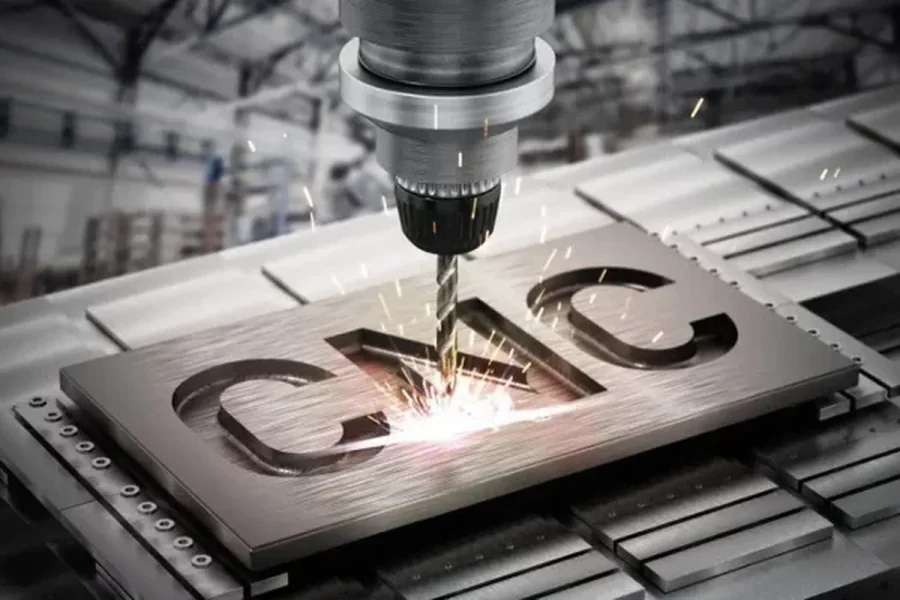
In today’s advanced manufacturing landscape, CNC machining is a cornerstone for producing high-precision components in industries such as aerospace, automotive, and medical device manufacturing. Central to this process is the Step Viewer, a vital tool that enables manufacturers to visualize, analyze, and optimize 3D models in STEP (Standard for the Exchange of Product Model Data) format. By facilitating seamless data exchange, reducing errors, and enhancing precision, Step Viewer transforms CNC machining workflows. This article explores its critical role, practical applications, and why it’s indispensable for manufacturers aiming to stay competitive. For a practical solution, try want.net’s free Step Viewer for CNC machining drawings to experience these benefits firsthand.
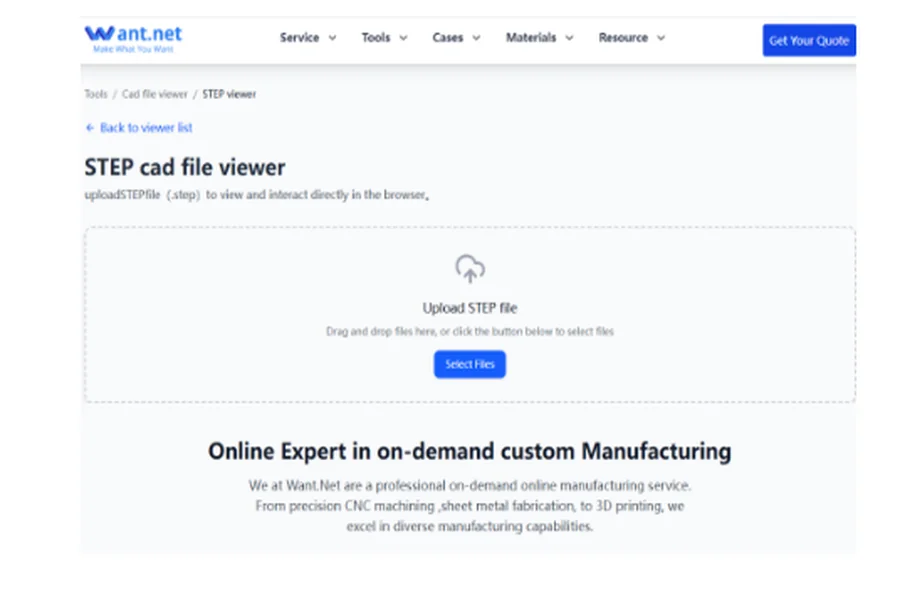
What is a Step Viewer? The Essential Tool for CNC Machining
A Step Viewer is a software tool designed to open, visualize, and analyze STEP files, which adhere to the ISO 10303 standard for neutral 3D model data exchange. Unlike proprietary formats, STEP files ensure compatibility across CAD platforms like SolidWorks, CATIA, or NX, making them ideal for CNC machining, where precision and interoperability are critical.
In practice, Step Viewer allows manufacturers to inspect 3D models before machining begins, verifying geometric accuracy, tolerances, and manufacturability. Its user-friendly interface empowers non-CAD experts, such as CNC operators or quality inspectors, to engage with complex designs, fostering collaboration across teams. By bridging the gap between design and production, Step Viewer ensures that CNC machining processes start with accurate, actionable data.
Table 1: Key Features of Step Viewer in CNC Machining
|
Feature |
Description |
Benefit for CNC Machining |
|
3D Model Visualization |
Displays detailed 3D geometry, including surfaces, holes, and fillets. |
Ensures accurate interpretation of designs before machining begins. |
|
Cross-Platform Compatibility |
Supports STEP files from various CAD systems (e.g., AP203, AP214, AP242). |
Reduces data conversion errors, ensuring smooth transitions from design to production. |
|
Measurement Tools |
Enables direct measurement of dimensions and tolerances within the model. |
Validates design accuracy, minimizing the risk of machining errors. |
|
Sectional Views |
Provides cross-sectional analysis of complex parts. |
Identifies internal features critical for toolpath planning and machining precision. |
|
Collaboration Support |
Facilitates sharing and annotation of STEP files across teams. |
Enhances communication between designers, programmers, and machinists. |
These features make Step Viewer a cornerstone of efficient CNC machining, streamlining workflows and reducing costly mistakes.
How Step Viewer Enhances CNC Machining: From Design to Production
The Step Viewer plays a multifaceted role in CNC machining, addressing critical stages of the manufacturing process. Below are its primary contributions:
1. Model Visualization and Validation
Before machining begins, Step Viewer enables detailed inspection of 3D models, allowing manufacturers to verify complex geometries, such as intricate curves or tight tolerances. Identifying issues like misaligned features or unfeasible designs early prevents costly rework, ensuring that the machining process aligns with the original design intent.
2. Streamlining CNC Programming
Accurate toolpath generation is essential in CNC machining. Step Viewer integrates with CAM software to analyze STEP files, helping programmers select optimal tools, define cutting paths, and set machining parameters. This reduces programming time and enhances machine efficiency, particularly for complex parts.
3. Seamless Data Exchange
STEP files, as a universal standard, ensure compatibility across diverse CAD systems. Step Viewer eliminates format-related errors, enabling smooth collaboration with clients or suppliers using different software. This ensures that design data remains intact throughout the CNC machining process.
4. Quality Control and Verification
After machining, Step Viewer allows manufacturers to compare finished parts against the original STEP file. Advanced tools provide measurement capabilities to verify critical dimensions, ensuring compliance with tolerances. This is especially critical in industries like aerospace, where deviations as small as 0.01mm can lead to significant issues.Table 2: Impact of Step Viewer on CNC Machining Efficiency
|
Metric |
Without Step Viewer |
With Step Viewer |
Improvement |
|
Design Validation Time |
Manual inspection: 4–6 hours per complex part |
Automated visualization: 1–2 hours |
50–75% reduction in time |
|
Programming Errors |
15–20% of toolpaths require rework |
<5% rework due to pre-validated models |
75% reduction in errors |
|
Data Conversion Issues |
10–15% of files face compatibility issues |
<2% issues with standardized STEP files |
80–85% reduction in compatibility issues |
|
Collaboration Efficiency |
2–3 days for cross-team design reviews |
Real-time sharing and annotation: <1 day |
60–70% faster collaboration |
|
Rework Costs |
$500–$2000 per error in high-precision industries |
Reduced errors save $400–$1800 per part |
Significant cost savings |
These metrics demonstrate how Step Viewer enhances CNC machining by minimizing errors and accelerating processes, delivering measurable value to manufacturers.

Boosting Efficiency and Precision in CNC Machining
The adoption of Step Viewer in CNC machining drives significant improvements in efficiency, precision, and cost-effectiveness, critical for competitive manufacturing.
Enhancing Efficiency
By identifying design flaws before machining, Step Viewer reduces the need for rework. A 2023 study by the Manufacturing Technology Institute reported that manufacturers using STEP file viewers cut programming time by up to 40% for complex parts. Optimized toolpaths, derived from accurate model analysis, can also reduce machining time by 20–30%, streamlining production schedules.
Improving Precision
Precision is paramount in CNC machining, particularly in industries like medical devices or automotive. Step Viewer enables detailed analysis of intricate features, ensuring that machined parts meet stringent tolerances. For example, in aerospace, where tolerances as low as ±0.005mm are standard, Step Viewer ensures compliance through precise measurement tools.
Reducing Costs
Errors in CNC machining lead to material waste and extended machine downtime. A 2024 IndustryWeek report found that manufacturers using Step Viewer tools reduced material waste by 15% and setup time by 25%. These savings are particularly impactful when working with expensive materials like titanium or composites.Table 3: Cost and Precision Benefits of Step Viewer in CNC Machining
|
Industry |
Challenge |
Step Viewer Solution |
Quantitative Impact |
Source |
|
Aerospace |
Tight tolerances (±0.005mm) |
Precise measurement and model validation |
98% compliance with tolerances |
Aerospace Manufacturing, 2024 |
|
Automotive |
Complex geometries in engine components |
Cross-sectional analysis and toolpath optimization |
20% reduction in machining time |
Automotive Design Journal, 2023 |
|
Mold-Making |
High rework costs due to design errors |
Pre-machining model checks |
$10,000–$50,000 saved per mold |
MoldMaking Technology, 2024 |
|
Medical Devices |
Regulatory compliance for precision parts |
Accurate tolerance verification |
95% reduction in non-compliant parts |
Medical Manufacturing News, 2023 |
|
General Manufacturing |
Data exchange errors across CAD systems |
Standardized STEP file support |
85% reduction in file compatibility issues |
IndustryWeek, 2024 |
These data-driven insights highlight the transformative impact of Step Viewer on CNC machining, making it an essential tool for modern manufacturers.
Practical Applications of Step Viewer in CNC Machining
Step Viewer excels in various CNC machining scenarios, proving its versatility across the manufacturing process:
· CNC Programming: CAM software like Mastercam or Fusion 360 integrates Step Viewer to import STEP files and generate accurate toolpaths, minimizing errors in G-code production.
· Pre-Machining Validation: Operators use Step Viewer to verify that models align with machining capabilities, preventing costly mistakes before production begins.
· Client-Supplier Collaboration: When clients provide STEP files, Step Viewer enables manufacturers to assess feasibility quickly, ensuring alignment with production capabilities.
· Complex Part Manufacturing: In industries like aerospace or mold-making, Step Viewer handles intricate geometries, supporting precise multi-axis machining.
To explore these applications, try want.net’s free Step Viewer for CNC machining drawings, a user-friendly tool designed to streamline your workflow.
Choosing the Right Step Viewer for CNC Machining
Selecting an effective Step Viewer is crucial for maximizing its benefits in CNC machining. Key considerations include:
· Compatibility: Ensure support for the latest STEP standards (e.g., AP242) to handle complex assemblies and GD&T data.
· Functionality: Prioritize tools with sectional views, measurement capabilities, and annotation features to support machining workflows.
· Ease of Use: A simple interface is essential for non-CAD users, such as operators or inspectors.
· Cost: Free or affordable tools provide robust functionality without the high costs of premium CAD software.
Popular options include FreeCAD, eDrawings, and CAM-integrated viewers. Manufacturers seeking a cost-effective solution can benefit from exploring available tools to optimize their processes.
The Future of Step Viewer in CNC Machining
As manufacturing embraces Industry 4.0, Step Viewer is set to play an even larger role in CNC machining. Emerging trends include:
· Digital Twins: Step Viewer can integrate with digital twin technology, enabling real-time comparison of machined parts against virtual models.
· AI Integration: AI-powered Step Viewer tools could automatically detect design flaws or suggest optimal toolpaths, further boosting efficiency.
· Cloud-Based Collaboration: Cloud-enabled Step Viewer platforms support remote access and real-time collaboration, streamlining global supply chains.
These advancements position Step Viewer as a cornerstone of smart, efficient CNC machining in the future.
Conclusion
In CNC machining, where precision and efficiency are critical, Step Viewer stands out as a transformative tool. By enabling accurate model visualization, seamless data exchange, and robust quality control, it reduces errors, saves time, and lowers costs. Data shows that manufacturers using Step Viewer achieve up to 75% reductions in errors, 40% faster programming, and significant cost savings. Whether programming complex parts, collaborating with suppliers, or ensuring quality, Step Viewer is indispensable. To unlock these benefits, explore available tools and integrate them into your CNC machining workflow today.
FAQ:
1. What is a Step Viewer, and why is it important for CNC machining?
A Step Viewer is a software tool that allows users to open, visualize, and analyze STEP (Standard for the Exchange of Product Model Data) files, which are standardized 3D model formats used in CNC machining. It’s critical because it ensures accurate visualization of complex geometries, verifies tolerances, and facilitates seamless data exchange between CAD and CAM systems. By identifying design issues early, Step Viewer reduces errors and enhances efficiency in CNC machining workflows.
2. How does a Step Viewer improve efficiency in CNC machining?
Step Viewer streamlines CNC machining by enabling pre-machining validation, optimizing toolpath generation, and reducing programming time. For example, it can cut design validation time by 50–75% and reduce programming errors by up to 75%, as shown in industry data. This efficiency saves time and minimizes costly rework, making it a vital tool for manufacturers. Try want.net’s free Step Viewer for CNC machining drawings to experience these benefits.
3. Can a Step Viewer be used by non-CAD experts?
Yes, Step Viewer tools are designed with user-friendly interfaces, making them accessible to non-CAD professionals like CNC operators or quality inspectors. Features like 3D visualization, measurement tools, and annotations allow teams to collaborate effectively without requiring advanced CAD knowledge, enhancing CNC machining workflows.
4. What industries benefit most from using Step Viewer in CNC machining?
Industries such as aerospace, automotive, mold-making, and medical device manufacturing benefit significantly from Step Viewer. It supports precision machining of complex parts, ensures compliance with tight tolerances (e.g., ±0.005mm in aerospace), and reduces costs in high-value material applications, as evidenced by industry reports showing up to $50,000 savings per mold in mold-making.
5. How does Step Viewer ensure precision in CNC machining?
Step Viewer ensures precision by allowing detailed analysis of 3D models, including measurements of critical dimensions and tolerances. It enables pre-machining validation and post-machining comparison against the original STEP file, achieving up to 98% tolerance compliance in industries like aerospace, according to 2024 data from Aerospace Manufacturing.
6. What should I look for when choosing a Step Viewer for CNC machining?
When selecting a Step Viewer, prioritize compatibility with the latest STEP standards (e.g., AP242), features like sectional views and measurement tools, and ease of use. Free or affordable tools, such as want.net’s free Step Viewer for CNC machining drawings, offer robust functionality without the high costs of premium CAD software, making them ideal for manufacturers.
